Everything you need on travel day.
Your flight details, in one place.
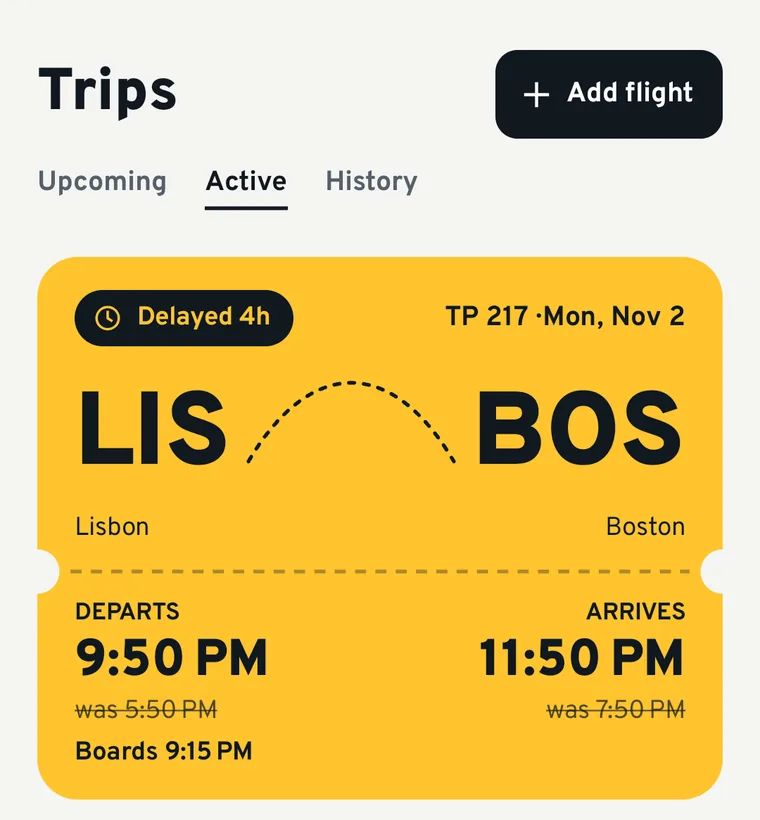
Check your flight status at a glance. If your departure or arrival time changes, you'll see the updated time alongside the original schedule.
- Alerts
- A delay, a cancellation, a new gate, or a connection that's at risk.
- Weather
- Check current weather conditions and temperatures at your departure and arrival airports, with the option to display temperatures in Fahrenheit or Celsius.
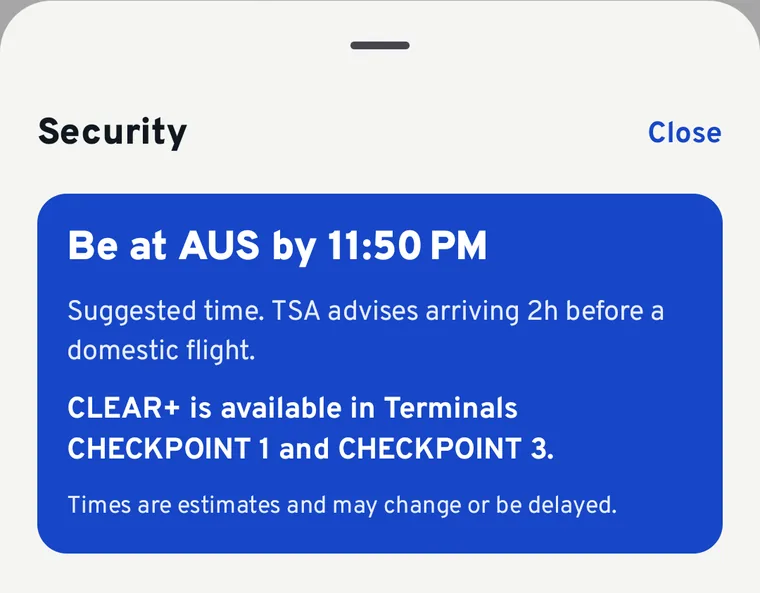
- Security
- Check estimated TSA security wait times at supported U.S. airports and get a recommended airport arrival time to help you plan ahead. Actual wait times may vary.
- Add a trip
- Add your flight manually or simply forward your booking confirmation to your personal Gate Resolve email address. We'll take care of the rest.
When your flight is late, see what may be behind it.
Stay informed about flight delays, find out if you're at risk of missing your connection, and explore alternative flights when your travel plans change.
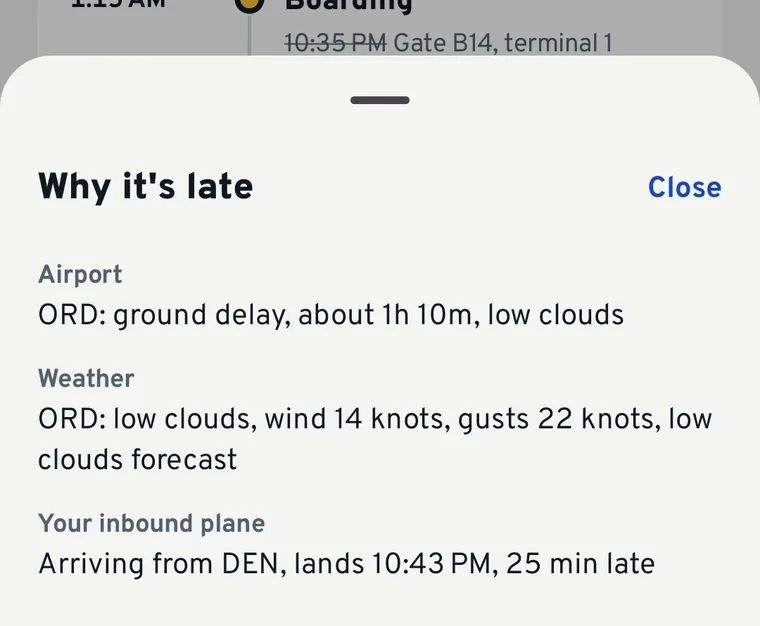
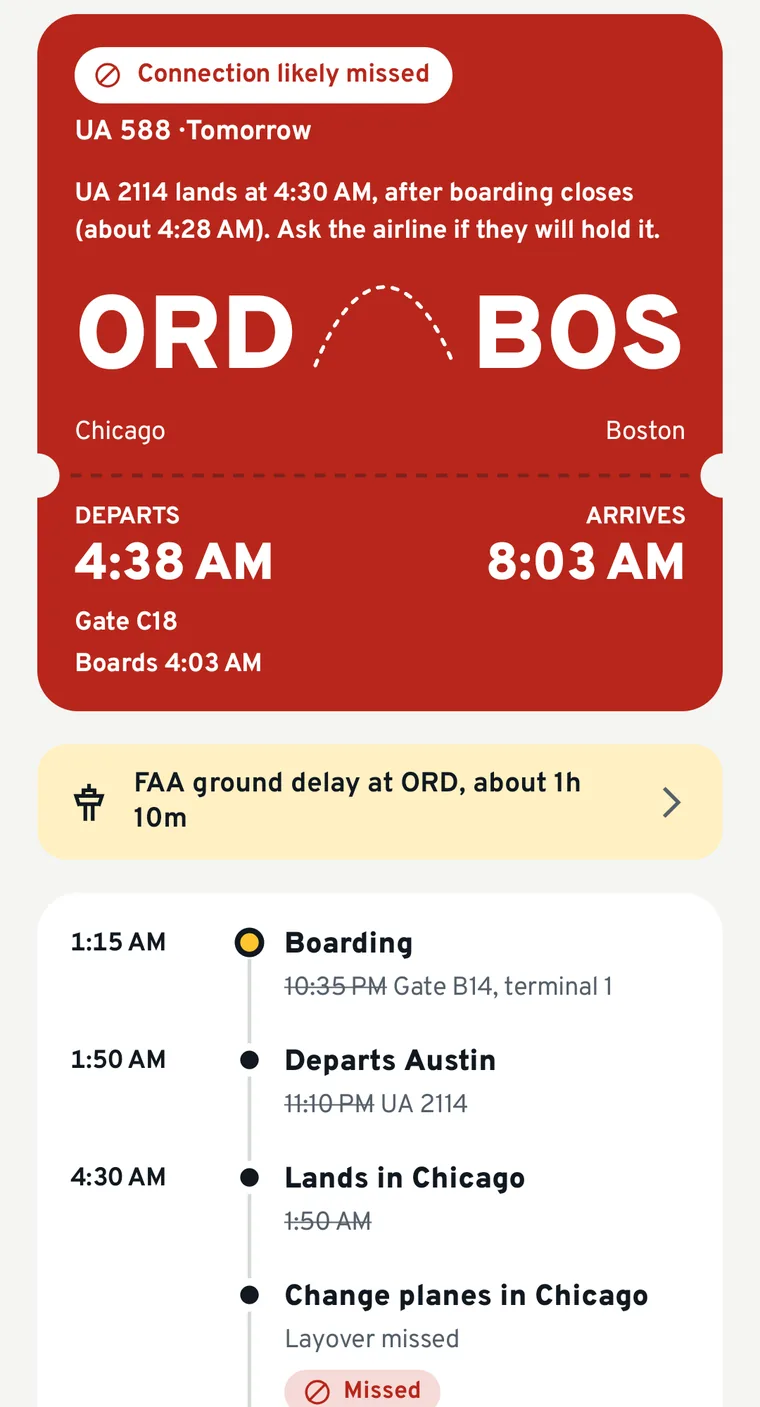
- Understand the Delay
- Find out what might be causing your flight's delay, from severe weather and FAA ground delays to an incoming aircraft that's running behind schedule. Tap to see more details.
- Make Your Connection
- Check the gate and terminal for your connecting flight, get walking directions, and receive alerts if your connection becomes tight. Gate locations are available for 51 U.S. airports using OpenStreetMap data. Walking times are estimates.
- Find Another Flight
- If your flight is canceled or you miss a connection, add your replacement flight to your existing trip. You can also explore other flights operated by your airline to the same destination, making it easier to discuss rebooking options.
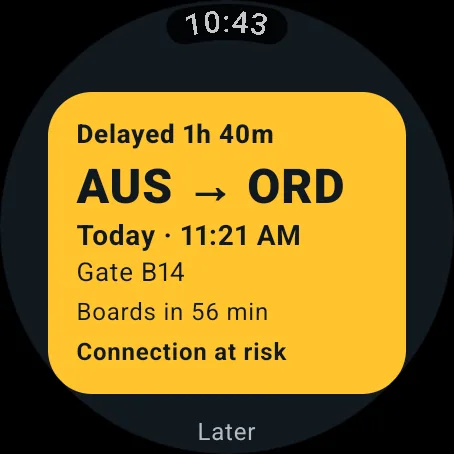
Check your flight without pulling out your phone.
- On your wrist
- The Wear OS app shows your next flight, gate and boarding countdown. It's in testing.
- Live map
- Follow your flight's progress on a live map in Gate Resolve or through a shared link. Aircraft positions come from an independent ADS-B tracking network, so coverage may be limited over oceans and remote areas. The map works without connecting to third-party mapping services.
- Share your flight
- Share your flight with friends or family through text or any messaging app. Anyone with the link can check your flight's status, departure and arrival times, gate information, and live location without downloading Gate Resolve or creating an account. Your name and booking confirmation are never shared. You can disable the link at any time, and it automatically expires 3 hours after landing.
- Winnie
- Winnie is Gate Resolve's AI-powered assistant, included with Pro. It's completely optional and stays off until you enable it in Settings. Once enabled, you can open Winnie using the button in the corner of your screen. Ask Winnie questions about your flights, passenger rights, or airline refund and compensation requests. Winnie can also walk you through submitting a request, asking one question at a time and letting you respond by tapping or typing. Your letter is prepared using a standard template, and you always have the opportunity to review it before choosing whether to send it.
- Airport guide
- Explore your departure airport before you arrive. Find your airline's terminal, discover restaurants, shops, and other amenities, and locate pet relief areas. Information comes directly from airport sources to help you plan your time at the airport. Guides are available for many U.S. airports, with more being added regularly.
- Baggage help
- If your baggage is delayed, damaged, or lost, Gate Resolve guides you through the steps to take and prepares a personalized claim letter based on your situation, ready for you to review and send to the airline.
- Home screen widget
- Your next flight on your home screen, refreshed every 15 minutes.
- Trip history
- Finished trips move to History, with the outcome of each request you made.
- App lock
- Add an extra layer of security by locking Gate Resolve with your fingerprint, facial recognition, or device screen lock. Authentication is handled securely by your device, so Gate Resolve never accesses or stores your biometric information or screen lock credentials.
- Your language
- Gate Resolve is available in four languages: English, Spanish, French, and German.
Try it on your Android phone.
Gate Resolve is in closed testing on Android. Email us the Google account address you use on your phone, and we'll add you to the test.